
.png)






Description
Download Eightdays.me – Free Trip Planning, Secure Navigation & Multi‑Destination Scheduler
Overview of Eightdays.me
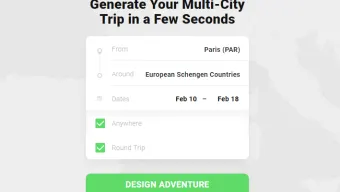
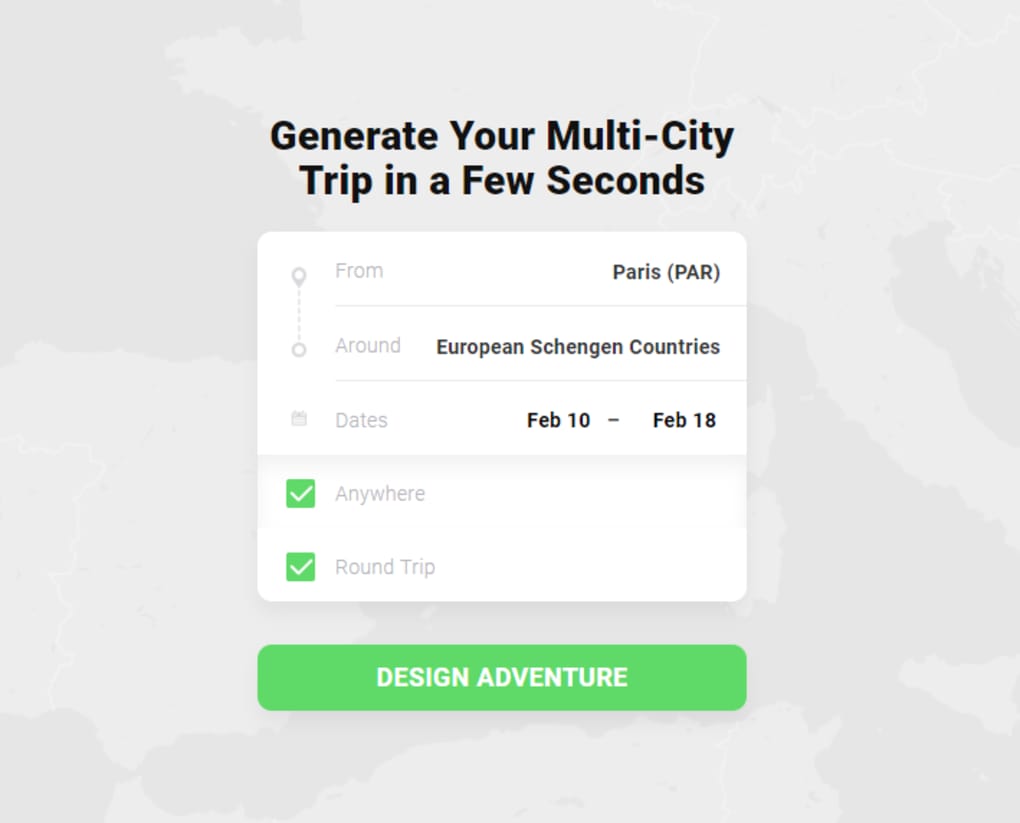
Eightdays.me is a modern travel and navigation application built for travelers who love to plan ahead. Whether you are organizing a romantic honeymoon, a school field trip, a family reunion, or a solo adventure, the app lets you create detailed itineraries with multiple stops, budget controls, and secure ticket purchasing. From the moment you land on the main dashboard, you simply type in your starting point, select any destination (or let the app suggest “Anywhere”), pick your travel dates, and decide if you need a round‑trip or one‑way route. The platform automatically generates optimal routes, suggests accommodations, and even aligns flight or train schedules with your preferences. Its intuitive design means you don’t have to be a travel‑agent to build a professional‑grade itinerary – a few clicks and you have a full‑featured plan that can be shared with companions or exported to other calendar apps. The emphasis on security ensures that every ticket purchase is encrypted, and the single‑ticket‑purchase model eliminates the hassle of juggling multiple confirmations. In short, Eightdays.me turns the complex process of multi‑destination travel into a streamlined, enjoyable experience.
Key Features & Benefits
- Multi‑Destination Planning: Add as many stops as you need, rearrange order with drag‑and‑drop, and see real‑time distance and time calculations.
- Budget‑Aware Routing: Set a maximum spend and the app will filter flights, trains, and accommodations to fit within your limits.
- Round‑Trip & “Anywhere” Options: Choose classic round‑trip itineraries or let the algorithm suggest optimal destinations based on your start point and dates.
- Secure Single‑Ticket Purchase: Integrated payment gateway uses SSL encryption; you receive one consolidated confirmation email.
- Offline Maps & Navigation: Download route maps for offline use, ensuring you stay on track even without internet.
- Collaboration Tools: Invite friends or family to view, comment, or edit the itinerary in real time.
- Calendar Sync: Export your plan to Google Calendar, Outlook, or Apple Calendar with a single click.
- Travel Alerts: Receive push notifications about flight delays, weather changes, or local restrictions.
These features combine to give users a sense of control and confidence when tackling complex trips. The budget filter, for example, is a lifesaver for students or couples who want to avoid surprise expenses. Meanwhile, the collaboration suite eliminates endless email threads – everyone sees the same version of the plan, and any changes are instantly reflected. The offline maps are especially valuable for travelers heading to remote locations where cellular service is spotty. By consolidating itinerary creation, ticket purchase, and real‑time updates into a single platform, Eightdays.me reduces the mental load of travel planning and lets you focus on the excitement of the journey ahead.
Installation, Usage Instructions & Compatibility
How to Download and Install
Eightdays.me is available as a native app for Windows, macOS, Android, and iOS. Visit the official website or your device’s app store, search for “Eightdays.me”, and click the Download or Get button. The installer is lightweight (under 70 MB) and the setup wizard guides you through the standard installation steps: accept the license agreement, choose an installation folder (desktop users), and finish with a single “Launch” click. On mobile devices, the app installs automatically after the download completes.
First‑Run Configuration
Upon first launch, you’ll be prompted to create a free account using your email or a social login (Google, Apple, or Facebook). Account creation unlocks cloud sync, enabling you to access your itineraries across all devices. After signing in, the onboarding tour walks you through the core workflow: entering a start location, selecting destinations, setting travel dates, and choosing a trip type. You can skip the tour and explore on your own, but the guided steps ensure you don’t miss any powerful features.
Using the App Effectively
1. Start a New Trip: Click the “New Trip” button, type your departure city, and add up to 10 destinations. Use the map view to visualize each leg.
2. Set Your Budget: Enter a total amount you’re willing to spend; the app will filter transportation and lodging options accordingly.
3. Choose Travel Mode: Select flight, train, bus, or a mixed‑mode itinerary. The engine calculates the fastest or cheapest route based on your preference.
4. Secure Checkout: Review the consolidated ticket summary and click “Purchase”. Your payment information is stored securely for future trips.
5. Share & Sync: Invite co‑travelers via email or a shareable link. All participants can edit the plan in real time.
Operating System Support
- Windows 10, 11 (64‑bit)
- macOS 11 (Big Sur) and later
- Android 8.0 (Oreo) and above
- iOS 13 and above (iPadOS included)
Pros, Cons & Frequently Asked Questions
Pros
- Comprehensive multi‑destination planning in one interface.
- Budget‑aware filtering saves money and reduces surprise costs.
- Secure, single‑ticket purchase simplifies checkout.
- Cross‑platform compatibility (Windows, macOS, Android, iOS).
- Offline map support for travel in low‑connectivity areas.
- Real‑time collaboration eliminates version‑control headaches.
Cons
- Free version limits the number of saved itineraries to three.
- Advanced analytics (e.g., carbon footprint) are locked behind the premium tier.
- Some users report occasional sync delays on older Android devices.
FAQ – Travel Planning Made Simple
Is Eightdays.me really free to use?
Yes, the core trip‑planning features are free. A premium subscription unlocks unlimited saved itineraries, advanced analytics, and priority support.
Can I book flights and hotels directly through the app?
Absolutely. Eightdays.me partners with major airlines and hotel providers. When you finalize a route, you’ll see a “Book Now” button that redirects to a secure payment page within the app.
How does the app keep my payment information safe?
All transactions are encrypted with 256‑bit SSL, and payment data is stored in compliance with PCI‑DSS standards. The app never shares your details with third parties without consent.
Can I use Eightdays.me offline while traveling?
Yes. After you finalize an itinerary, you can download the route maps for offline use. Navigation, distance calculations, and saved notes remain accessible without an internet connection.
Is there a limit to how many destinations I can add?
The free tier allows up to 10 stops per itinerary. Premium users can add up to 30 destinations, making it ideal for extensive road trips or multi‑city tours.
Conclusion – Why Eightdays.me Deserves a Spot on Your Travel Toolbox
Eightdays.me bridges the gap between a simple travel checklist and a full‑blown travel agency. Its blend of intuitive design, robust budgeting tools, and secure ticketing makes it an essential companion for anyone who values organization and peace of mind on the road. Whether you’re planning a weekend getaway or a month‑long world tour, the app’s cross‑platform availability ensures you can start planning on a desktop and finish on a mobile device without missing a beat. While the free version does have modest limits, the value delivered—especially the single‑ticket checkout and offline navigation—far outweighs the occasional inconvenience. For power travelers, upgrading to the premium tier unlocks limitless itineraries and deeper insights, turning Eightdays.me into a lifelong travel partner.
Ready to transform the way you travel? Free download the app today, create your first itinerary, and experience the confidence of a well‑planned journey. Your next adventure is just a few clicks away.
Guides & Tutorials for Eightdays me
How to install Eightdays me
- Click the Preview / Download button above.
- Once redirected, accept the terms and click Install.
- Wait for the Eightdays me download to finish on your device.
How to use Eightdays me
This software is primarily used for its core features described above. Open the app after installation to explore its capabilities.
User Reviews for Eightdays me 0
No reviews found




